
Opening thoughts
You know how automation promises to tidy up repetitive work but sometimes makes things messier if you don't plan it right, right? It starts simple then scales into this branching jungle if you're not careful. And when that happens, n8n becomes a powerful place to wrestle clarity back into your processes.
Why conditional logic matters for real workflows
Conditional logic isn't just a checkbox you tick, it's the brain of nontrivial automation, and it's what separates simple piping of data from workflows that actually behave like human teams. With n8n conditional workflows you can route records to different systems, retry only the things that failed, split messages by priority, and do context-aware transformations without writing full applications. The thing is, once you accept that behavior depends on context, your designs change from "do X then Y" to "if X then A else B then maybe C", and that mindset shift is huge.
Core building blocks in n8n for branching and decisions
n8n gives you several ways to express conditional logic. You can use the Switch node for clear multi-way branching, the If node for binary decisions, Merge node to combine different streams, and Function or Code nodes when you need bespoke behavior. Expressions let you use variables inline so your nodes react to data from previous steps. And when you want to keep things no-code, the built-in node editors will usually cover you.
When to use Switch versus If
Use Switch when you have several distinct paths based on a single field or expression. It's tidy and visual, which matters when teammates will inspect the workflow later. Use If for simple true false checks or when you want to split work into success and failure lanes. If you're coming from other tools, think of Switch as a router and If as a gate.
Expressions and context
Expressions let you peek at data across the workflow so decisions can be made on past results, metadata or even runtime variables. You can reference JSON paths, do string operations or cast types. This is where n8n conditional workflows feel powerful because you can build rules that look at arrays, timestamps, nested objects, whatever your inputs are. I think most people underestimate how often a well-placed expression saves them from adding a whole extra node.
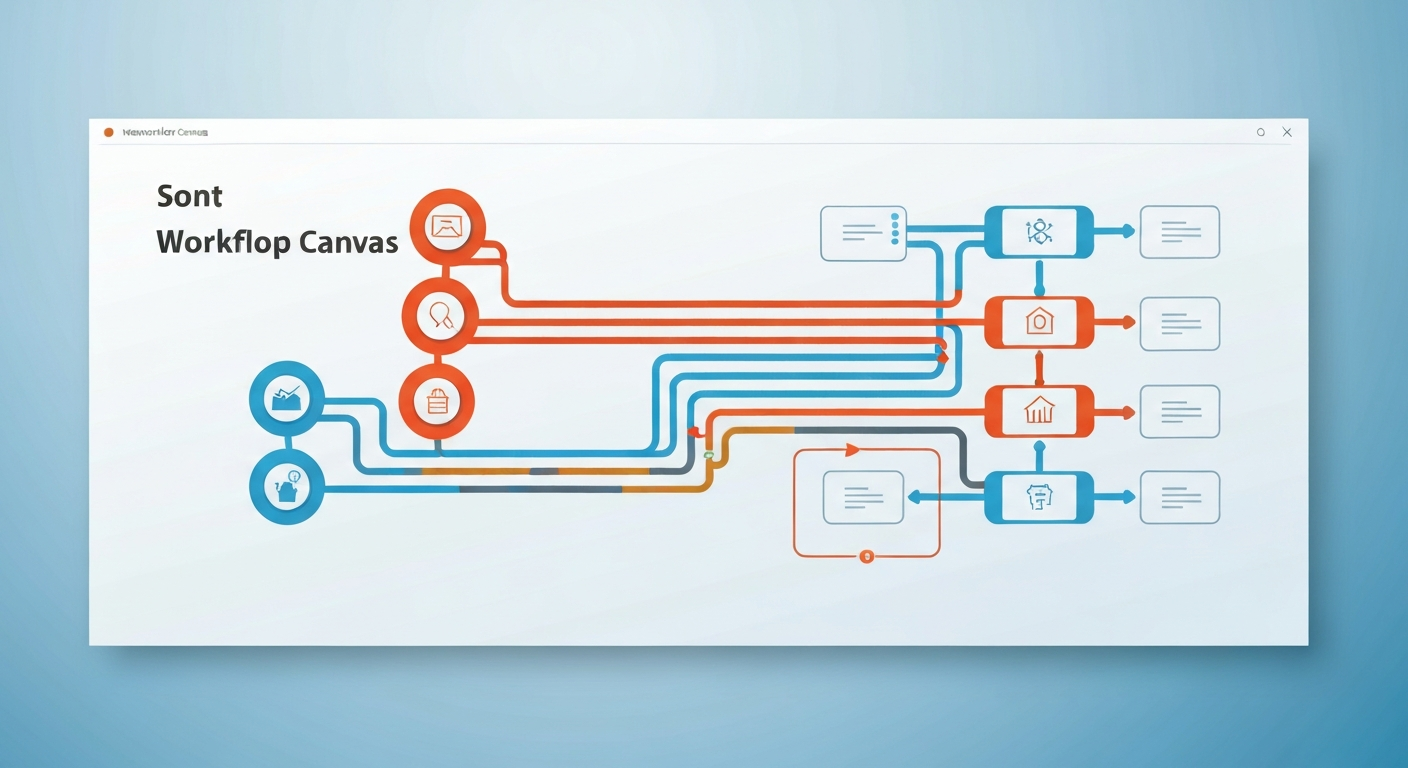
Design patterns for complex decision trees
Designing complexity is mostly about reducing perceived complexity for whoever must understand or maintain the system, which is probably you. Start simple, then encapsulate. Chunk pieces of logic into sub-workflows. Use descriptive names for nodes. Keep your expression logic readable, not clever. A few patterns I rely on tend to cover most needs.
Step 1: Normalize inputs. Always transform incoming data into a predictable shape before branching. That means parsing dates, normalizing case, ensuring arrays exist even if empty. This avoids condition checks that look like "if X or if Y" across many nodes.
Step 2: Evaluate priority early. If you have messages or tasks with differing handling urgency, check that first so urgent lanes can skip nonessential processing.
Step 3: Isolate external system concerns. Put API calls behind a single adapter node or sub-workflow so retries, rate limits and auth logic are centralized. That makes conditional paths less fragile.
Step 4: Aggregate decisions. If multiple conditions determine the same outcome, combine them into one Switch node with clear labels rather than branching repeatedly.
Example: Order processing scenario
Imagine you process orders coming from a storefront, and you need to route them to different fulfillment providers, block fraudulent ones, handle backorders and notify teams. You'll pretty much want a first pass that normalizes order fields, then a Switch node for provider selection, an If node to block fraud, another conditional to decide fulfillment or backorder, and a Merge to reunite notification streams. Keep the fraud check independent so it can short-circuit other work (this improves speed and reduces API calls).
Practical steps to build a complex workflow in n8n

I'll outline a practical approach that you can follow. It's not a rigid recipe, it's more like a map.
Step 1, set up your trigger and normalization. Create the trigger node. Add a few transformation nodes so you always have the same keys present. If you hit different payload shapes from multiple sources, make a short conditional branch to normalize each one.
Step 2, add early gates. Put fraud checks and quota checks near the beginning so you don't pay for unnecessary downstream calls. Use an If node or a Function node with a clear, commented expression (you can add comments inside Function but not inside expression fields so keep it documented elsewhere).
Step 3, route with Switch. Make a Switch node for the core branching logic, for example shipping provider or message priority. Label each case so someone inspecting the canvas later isn't guessing what "output 3" means.
Step 4, contain external calls. For each branch that talks to an external API, use the same sub-workflow or a standardized node configuration. It makes retries, throttling and error handling consistent.
Step 5, unify outcomes. Use Merge to bring success and notification streams back together. That way you can do final logging, metrics updates or downstream analytics in one place.
Handling errors, retries and observability
Conditional logic matters for error handling too. You don't want transient API failures to send a record down a fraud path. So treat errors as data, then decide: retry, escalate, or mark for manual review. n8n lets you capture node errors and route them. Use a consistent pattern: try small, then escalate to human review if automated retries fail.
And when things go wrong, logs are your friend. Capture key fields and decisions at each branch. Add context like the rule that matched and the node name. That might sound excessive but it's lifesaving when someone asks "why was this routed here".
Performance and maintainability trade-offs
There are trade-offs. More branches give you flexibility but they increase surface area for bugs and make the canvas harder to read. Centralized sub-workflows reduce duplication but can create coupling where changing one little thing affects many flows. It's a balancing act, and you'll tweak as you go.
It's simple and surprisingly complex.
Debugging tips that actually work
When an n8n conditional workflow misbehaves, these tactics save time. First, reproduce with a minimal dataset. Then enable detailed output on suspect nodes so you can see the incoming JSON. Use temporary logging nodes to dump intermediate state into a trace. If a Switch case doesn't match, check for type mismatches, whitespace, or timing issues where a previous asynchronous call didn't finish the way you expected.
But don't forget to check your assumptions about input data. I've had my own bumps along the way. (One of the risks with flexible systems is that input mutates over time.)
Governance and collaboration
n8n conditional workflows can become critical parts of business logic, so treat them like code. Use versioning, peer reviews and staging environments. If multiple people will edit flows, agree on naming conventions and documentation patterns. Keep expressions simple enough that someone else can update them without causing regressions. It's not glamorous but it's important if you want people to trust the automations.
Best practices for scaling complex logic
Refactor often. When a piece of logic gets reused across workflows, move it into a sub-workflow. Keep condition checks declarative when possible so non-developers can understand them. Test edge cases like empty arrays or unexpected nulls. Monitor performance and cost if external APIs bill per request. And document the business rule next to the node so the reason for a branch is obvious to someone reading the canvas.
When to bring code into the mix
No-code logic workflows are great for most cases, but sometimes the logic is complex enough that a small amount of code simplifies everything. Use a Function node or a Code node sparingly for parsing complex payloads, performing advanced calculations or calling third-party libraries. Keep the code isolated and well-commented so you can replace it with a native node later if needed.
Real-world gotchas
Watch out for statefulness: workflows are generally stateless, so if you need to maintain counters or windows of events, use a database or cache. Beware of race conditions when multiple concurrent executions might try to update the same record. Implement optimistic locking or a queuing layer when you need serialized processing. And be careful with numeric comparisons across languages because type coercion can bite you.
Final thoughts and practical next steps
If you're building medium to large scale automations, plan for change. Build n8n conditional workflows that are readable, testable and resilient. Start by sketching the decision tree on paper, then implement the smallest working version, then iterate. Use sub-workflows to encapsulate complexity. Monitor behavior in production and expect to refine rules as edge cases show up.
You'll make mistakes. They'll be fixable. Over time your workflow canvas will get cleaner and your team will trust it more. It's kinda like gardening, you know, you prune, you replant, you sometimes get bitten by pests but the harvest is worth it.
Key phrases to keep in mind: n8n conditional workflows, advanced automation, no-code logic workflows. Use them as guardrails for naming and documentation so future you or your team can find the right parts quickly.